
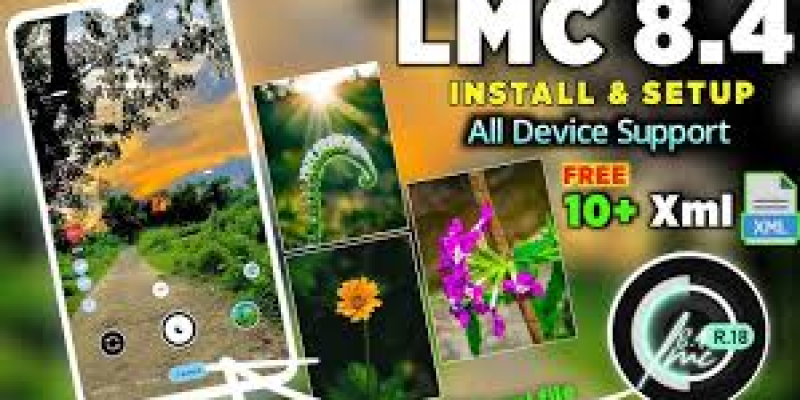
Smartphone photography has become a daily activity for millions of Android users. From quick social media pictures to detailed landscape shots, people increasingly expect their phone camera to deliver good results in different conditions. However, the default camera app may not always offer the level of customization that photography enthusiasts want. The LMC 84 APK File provides an alternative for users interested in exploring the LMC 8.4 camera and its range of photography options.
LMC 8.4 is a third-party GCam port designed for compatible Android smartphones. It focuses on computational photography, additional shooting modes, and customizable settings. The actual features available can vary depending on the device.
LMC 8.4 Camera Overview
LMC 8.4 is an unofficial camera application based on Google Camera. It is intended to provide Android users with a different approach to smartphone photography.
The app can offer various modes for daylight, portraits, low-light photography, and night scenes. It also supports configuration options that can allow experienced users to adjust the camera according to their phone’s hardware.
Unlike a manufacturer camera app, LMC 8.4 is not designed specifically for one smartphone model. Because of this, compatibility should always be considered before installation.
Why LMC 8.4 Is Popular
One of the main reasons users experiment with LMC 8.4 is its customization. The application can give users more opportunities to adjust image processing and test different camera settings.
It can also be useful for comparing different photography styles. Some users may prefer the colors and contrast produced by the stock camera, while others may prefer the processing provided by a GCam port.
The availability of XML configurations adds another level of customization, especially for users who want device-specific settings.
Major Features
HDR+ Processing
HDR+ is designed to produce balanced photographs when a scene contains both bright and dark areas. It can combine multiple frames to preserve more detail across different exposure levels.
This feature can be useful for outdoor photography, landscapes, architecture, and high-contrast scenes.
Night Sight
Night Sight is designed to improve photographs taken in low-light conditions. It uses multiple frames and image processing to create a brighter final photograph.
Results vary according to the phone’s sensor and configuration, but compatible devices can benefit from this feature when shooting at night.
Portrait Mode
Portrait Mode can create a background blur effect around the main subject. It is useful for people, pets, and other close-up subjects.
Good lighting and proper positioning can help the camera identify the subject more effectively and produce a cleaner result.
Astrophotography
Astrophotography is designed for capturing stars and night landscapes on compatible devices.
Since the camera may use longer exposures, stability is essential. A tripod or another secure surface can help prevent movement and blurry images.
RAW Capture
RAW capture is valuable for users who want to edit photographs manually. It can retain additional image information, allowing more flexibility when adjusting exposure, colors, highlights, and shadows.
Support for this feature depends on the smartphone’s hardware and software.
LMC 84 APK File Compatibility
The LMC 84 APK File may require specific hardware and software conditions to operate correctly.
Before installing an LMC 8.4 version, consider:
- Android version
- Processor and chipset
- Camera2 API support
- Camera sensor specifications
- Device firmware
- Camera lens support
- RAM and processing capability
A particular version may work perfectly on one smartphone but have problems on another. Possible issues include crashes, missing lenses, camera errors, or limited access to certain features.
When compatibility problems occur, using another suitable build or device-specific configuration may help.
XML Configurations
XML configurations allow users to apply multiple camera settings at once. They are often created for particular smartphone models or photography preferences.
An XML file can influence settings related to color, exposure, sharpness, contrast, noise reduction, and other image-processing parameters.
Because camera sensors vary between phones, users should look for configurations intended for their particular device. Testing several compatible configurations can help determine which one produces the preferred results.
Keeping a backup of a working configuration is also a useful practice before making further changes.
How to Install LMC 8.4
The installation process is similar to other APK installations on Android.
First, download a compatible version from a source you trust. After the download finishes, locate the APK using your phone’s file manager.
Tap the file and follow the instructions provided by Android. If the phone displays a warning about installing applications from an external source, verify the file’s source before continuing.
After installation, launch the application and allow the necessary camera permissions. You can then test the available modes and settings.
Installation menus may differ depending on the Android version and smartphone manufacturer.
How to Improve Your Photos
Using the correct mode for each situation can improve the overall photography experience.
HDR+ is useful for scenes with strong differences between light and shadow. Night Sight can be helpful in darker conditions, while Portrait Mode is suitable for subjects that need background separation.
For astrophotography, keep the smartphone completely stable. Even a small amount of movement can affect long-exposure photographs.
Users should also keep the camera lens clean and avoid excessive digital zoom when possible.
If the default image processing does not match your preferences, try a suitable XML configuration and compare the results.
LMC 8.4 vs Default Camera
The stock camera app is usually optimized for the exact smartphone model. It offers a simple interface and is designed to work with the phone’s native hardware.
LMC 8.4 takes a more customizable approach. It can provide additional controls and configuration options for users who enjoy experimenting.
For everyday snapshots, the stock camera may be easier and more convenient. For users interested in advanced settings, LMC 8.4 can provide additional possibilities.
The best choice depends on the phone and the photographer’s requirements.
Safety Considerations
LMC 8.4 is a third-party application, so users should be careful when downloading and installing APK files.
Always verify the source before installation and avoid suspicious files. Check that the APK is appropriate for your Android version and device.
Users should also review application permissions and avoid files that request unnecessary access. Keeping Android’s built-in security protections enabled is recommended.
Conclusion
LMC 8.4 is an alternative camera solution for Android users who want more control over smartphone photography. Its features can include HDR+, Night Sight, Portrait Mode, astrophotography, RAW capture, and XML configuration support.
Because Android devices differ in hardware and software, compatibility should be checked before installing any version. Choosing a suitable build and configuration can help provide better stability and results.
For photography enthusiasts who enjoy experimenting with camera settings and image processing, LMC 8.4 offers a flexible way to explore additional smartphone photography features.