
Introduction
Website speed plays a major role in user experience, search engine rankings, and overall online success. One of the most important factors affecting website performance is page size. A web page that contains excessive images, scripts, videos, or unnecessary code can become large and slow to load. This often results in higher bounce rates, reduced user engagement, and lower search engine visibility.
A page size checker is a useful tool that helps website owners, developers, bloggers, and digital marketers determine the total size of a webpage. By understanding the size of a page, users can identify performance issues and take steps to optimize loading times. Faster websites not only improve user satisfaction but also contribute to better SEO results.
For beginners, page size analysis may seem technical, but modern page size checker tools make the process simple and accessible. These tools provide valuable insights into how much data a webpage requires to load and which elements contribute most to its size. With this information, website owners can make informed decisions about optimization.
This comprehensive guide explains everything you need to know about page size checkers, their importance, benefits, risks, common mistakes, and practical optimization strategies. Whether you run a personal blog, business website, or online store, understanding page size can significantly improve your website’s performance.
What is a Page Size Checker?
A page size checker is an online tool or software application that measures the total size of a webpage. It analyzes all resources required to load a page, including HTML files, CSS stylesheets, JavaScript files, images, videos, fonts, and other media elements. The tool then calculates the total amount of data that must be downloaded by a visitor’s browser.
The primary purpose of a page size checker is to help website owners identify whether their webpages are too large. Large page sizes can negatively impact loading speed, particularly for users with slower internet connections or mobile devices. By checking page size regularly, website owners can ensure that their sites remain efficient, fast, and user-friendly.
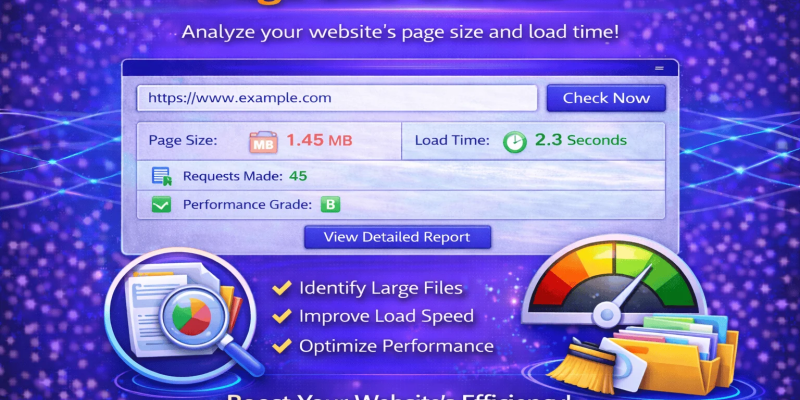
A typical page size checker provides information such as total page size, number of requests, image sizes, script sizes, and resource distribution. These details help users understand which components consume the most bandwidth and require optimization. The insights gained from these tools are essential for maintaining a high-performing website that meets modern SEO and usability standards.
Why is a Page Size Checker Important?
Page size directly affects website performance. When visitors access a webpage, their browser must download all resources associated with that page. If the total size is too large, loading times increase significantly. Research consistently shows that users expect websites to load quickly, and delays often result in visitors leaving before the page fully loads.
Search engines also consider page speed as an important ranking factor. Websites with optimized page sizes tend to load faster, providing a better user experience. Faster websites generally achieve higher search rankings, increased traffic, and improved conversion rates. Therefore, monitoring page size is not just a technical task but a strategic SEO activity.
A page size checker helps website owners identify performance bottlenecks before they affect users. It enables proactive optimization, reduces server load, minimizes bandwidth consumption, and supports mobile-friendly experiences. In today’s competitive digital environment, regularly checking page size is an essential practice for maintaining a successful website.
Detailed Step-by-Step Guide
Step 1: Choose a Reliable Page Size Checker Tool
Start by selecting a trusted page size checker tool. Many free and paid options are available online. Look for tools that provide detailed reports, resource breakdowns, and performance recommendations.
Reliable tools typically display total page size, request counts, loading time estimates, and resource-specific details. Choosing the right tool ensures accurate analysis and actionable insights.
Step 2: Enter Your Website URL
Open the page size checker and enter the URL of the webpage you want to analyze. Make sure the URL is correct and includes the appropriate protocol such as HTTPS.
Once submitted, the tool will scan the page and gather information about all resources required for loading. The process usually takes only a few seconds.
Step 3: Review the Total Page Size
After the analysis is complete, locate the total page size value. This metric represents the combined size of all page resources.
A smaller page size generally results in faster loading times. While there is no universal ideal size, keeping webpages lightweight helps improve overall performance.
Step 4: Analyze Images
Images are often the largest contributors to page size. Review image-related data carefully to identify oversized graphics.
Large images should be compressed and resized appropriately. Modern image formats such as WebP can significantly reduce file sizes without sacrificing visual quality.
Step 5: Evaluate CSS and JavaScript Files
CSS and JavaScript files can contribute substantially to page weight if not optimized properly.
Check whether scripts and stylesheets contain unnecessary code. Minification and compression can reduce file sizes and improve loading efficiency.
Step 6: Examine Third-Party Resources
Many websites rely on third-party tools, including analytics platforms, advertisements, social media widgets, and tracking scripts.
While these tools provide valuable functionality, excessive third-party resources can increase page size and slow performance. Evaluate whether each resource is truly necessary.
Step 7: Reduce HTTP Requests
Every file requested by a browser contributes to loading time. A page with numerous requests may perform poorly even if the total size is moderate.
Combining files, using sprites, and eliminating unnecessary resources can reduce request counts and improve speed.
Step 8: Implement Compression
Enable server-side compression methods such as Gzip or Brotli. Compression reduces the amount of data transferred between the server and the browser.
Compressed resources load faster and consume less bandwidth, making compression one of the most effective optimization techniques.
Step 9: Test Mobile Performance
Mobile users often access websites through slower networks. Analyze page size from a mobile perspective to ensure optimal performance.
Responsive design, image optimization, and resource prioritization can greatly improve mobile loading times.
Step 10: Monitor Regularly
Page size optimization is not a one-time task. New content, plugins, and updates can increase page weight over time.
Regular monitoring helps maintain optimal performance and ensures that your website continues to meet user expectations.
Benefits of a Page Size Checker
- Helps identify oversized webpage elements.
- Improves website loading speed.
- Enhances user experience and engagement.
- Supports better SEO rankings.
- Reduces bounce rates.
- Optimizes mobile performance.
- Lowers bandwidth consumption.
- Helps diagnose performance bottlenecks.
- Encourages efficient coding practices.
- Improves website accessibility.
- Increases conversion opportunities.
- Supports faster server response times.
- Helps manage multimedia content effectively.
- Provides actionable optimization insights.
- Contributes to overall website success.
Disadvantages / Risks
- Some tools may provide incomplete data.
- Free tools often have limited reporting features.
- Over-optimization can occasionally affect functionality.
- Beginners may misinterpret technical metrics.
- Focusing only on page size may overlook other performance factors.
- Third-party scripts can complicate analysis.
- Frequent testing may create unnecessary workload.
- Some recommendations may require technical expertise to implement.
Common Mistakes to Avoid
One common mistake is assuming that a visually attractive website automatically performs well. Many websites look impressive but contain large images, videos, and scripts that significantly increase page size. Always verify actual performance using a page size checker rather than relying on visual appearance alone.
Another frequent error is ignoring mobile users. A page that loads quickly on desktop devices may perform poorly on smartphones. Mobile optimization should always be part of the page size evaluation process.
Website owners also make the mistake of uploading high-resolution images directly from cameras or design software. These files are often much larger than necessary for web display. Proper image compression should be a standard practice.
Many beginners overlook third-party scripts. Advertising networks, social media widgets, and tracking tools can add considerable weight to a webpage. Regularly reviewing these resources helps maintain optimal performance.
Failing to monitor page size after updates is another major mistake. New plugins, themes, and content additions can gradually increase page weight. Routine checks ensure that performance remains consistent over time.
FAQs
1. What is the ideal webpage size?
There is no fixed ideal size, but smaller pages generally perform better. Many experts recommend keeping total page size as low as possible while maintaining functionality and visual quality.
2. How often should I check page size?
It is advisable to check page size whenever major updates are made to a website. Monthly monitoring is also a good practice for ongoing optimization.
3. Does page size affect SEO?
Yes. Larger page sizes can slow loading times, which may negatively affect user experience and search engine rankings. Optimized pages often perform better in search results.
4. Are images the biggest cause of large page sizes?
In many cases, yes. Uncompressed or oversized images frequently contribute the largest portion of total page size. Image optimization is often the quickest way to improve performance.
5. Can a page size checker improve website speed automatically?
No. A page size checker only provides analysis and recommendations. Website owners must implement optimization techniques to achieve performance improvements.
6. Is page size important for mobile users?
Absolutely. Mobile users often rely on slower network connections. Smaller page sizes help ensure faster loading times and a better mobile experience.
7. What resources contribute to page size?
HTML files, CSS stylesheets, JavaScript files, images, videos, fonts, and third-party scripts all contribute to the total size of a webpage.
8. Can plugins increase page size?
Yes. Many plugins add scripts, stylesheets, and additional resources that increase page weight. Using only essential plugins helps maintain performance.
Expert Tips & Bonus Points
Experienced SEO professionals recommend optimizing images before uploading them to a website. This simple practice can significantly reduce page size and improve loading speed. Using modern image formats and responsive image techniques further enhances efficiency.
Implement browser caching whenever possible. Cached resources reduce the amount of data that needs to be downloaded during repeat visits. This creates a faster browsing experience for returning users.
Regularly audit plugins, themes, and third-party integrations. Removing unnecessary resources can dramatically reduce page size and improve overall website performance. Lightweight themes often provide better results than feature-heavy alternatives.
Use content delivery networks (CDNs) to distribute resources across multiple servers. CDNs help reduce latency and improve loading speeds for visitors in different geographic locations.
Monitor Core Web Vitals alongside page size metrics. Combining these performance indicators provides a more complete understanding of website health and user experience.
Always test changes after implementing optimizations. Measuring results helps verify whether adjustments are improving performance and allows for continuous refinement.
Conclusion
A page size checker is an essential tool for anyone who owns, manages, or develops a website. Understanding webpage size is critical because it directly influences loading speed, user experience, search engine rankings, and overall site performance. By regularly analyzing page size, website owners can identify inefficient resources and take corrective action before performance issues affect visitors.
The process of checking page size is straightforward, even for beginners. Modern tools provide detailed insights into images, scripts, stylesheets, and other resources that contribute to overall page weight. These insights make it easier to prioritize optimization efforts and achieve measurable improvements.
Reducing page size offers numerous benefits, including faster loading times, lower bounce rates, improved SEO visibility, better mobile performance, and higher user satisfaction. While some challenges and risks exist, they can be managed through careful analysis and consistent monitoring.
Success in website optimization requires ongoing attention. As websites grow and evolve, new content and features can increase page size. Regular audits, image compression, code optimization, and resource management help maintain peak performance. By making page size analysis a routine part of website maintenance, you can create a faster, more efficient, and more successful online presence that benefits both users and search engines.